See thereal product.Start with a self-guided preview.
Explore product screens and available demo workflows using clearly labeled sample data. The Hiring OS preview shows screenshots from an internal test workflow; ask for a guided walkthrough when you want to evaluate your own hiring process. Nothing here represents a named customer or a live institutional account.
We never present demo activity as customer revenue Request a guided walkthrough anytime
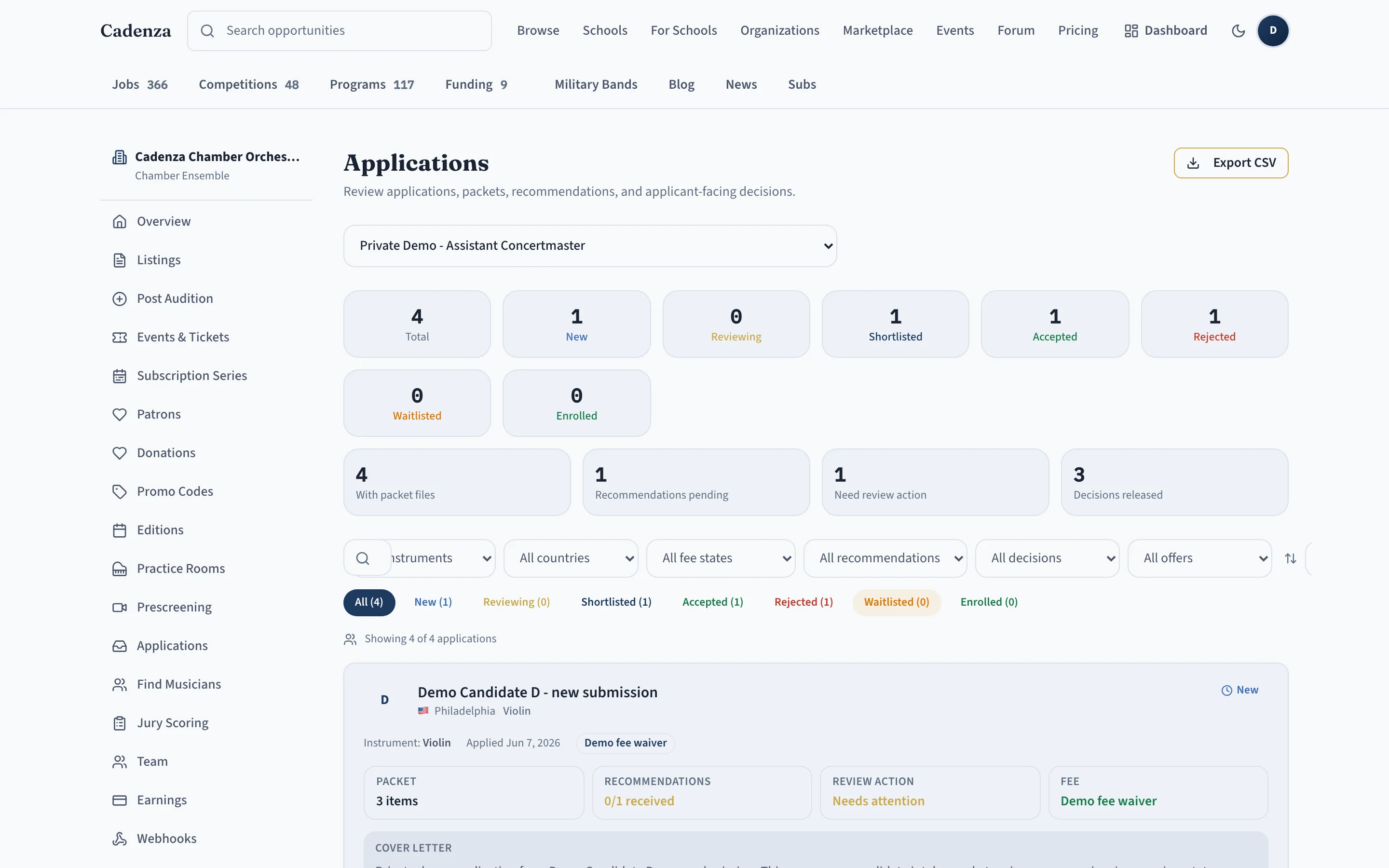
Hiring OS — orchestras & ensembles
Run listings, applications, prescreens, jury review, shortlists, exports, analytics, and billing in one place. The preview uses clearly labeled screenshots from an internal demo workflow without presenting it as a public customer account.
- Claimed, verified organization profile
- Job and audition listings with instrument targeting
- Application intake with audio/video prescreen links
- Jury scoring and shortlist
- Export, analytics, and team roles
- Billing and upgrade
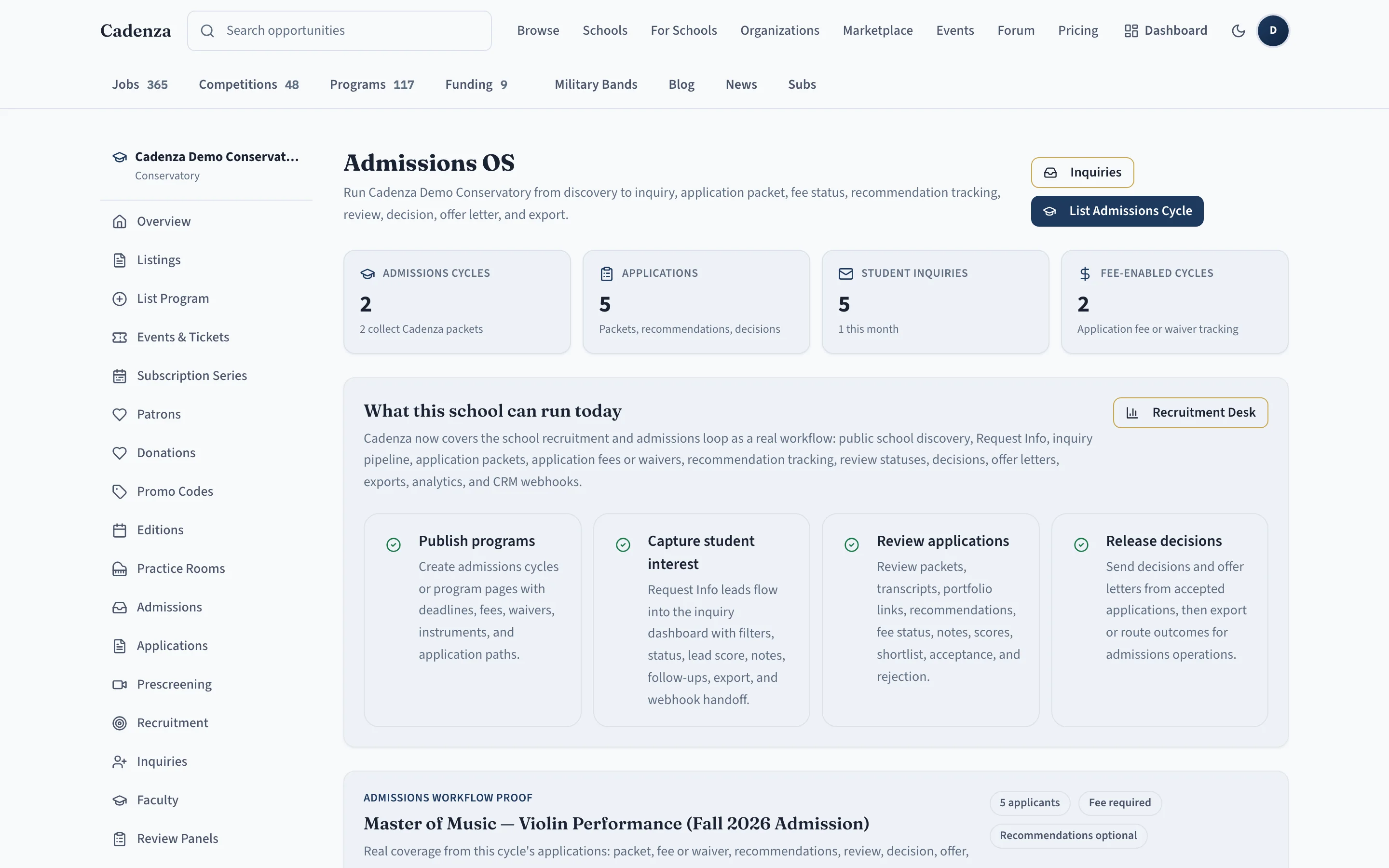
School Recruitment OS — conservatories & programs
Help prospective students discover programs, faculty, deadlines, tuition, and scholarships, then capture inquiries or run Cadenza-managed admissions cycles with packets, recommendations, fee or waiver status, review, decisions, and offer letters.
- School profile with programs, faculty, and tuition
- Admissions cycles: deadlines, audition dates, scholarships
- Request Info form and inquiry dashboard
- Application packets, fee or waiver status, recommendations
- Prescreening, faculty review, decisions, and offer letters
- Analytics, CSV export, and CRM webhook handoff
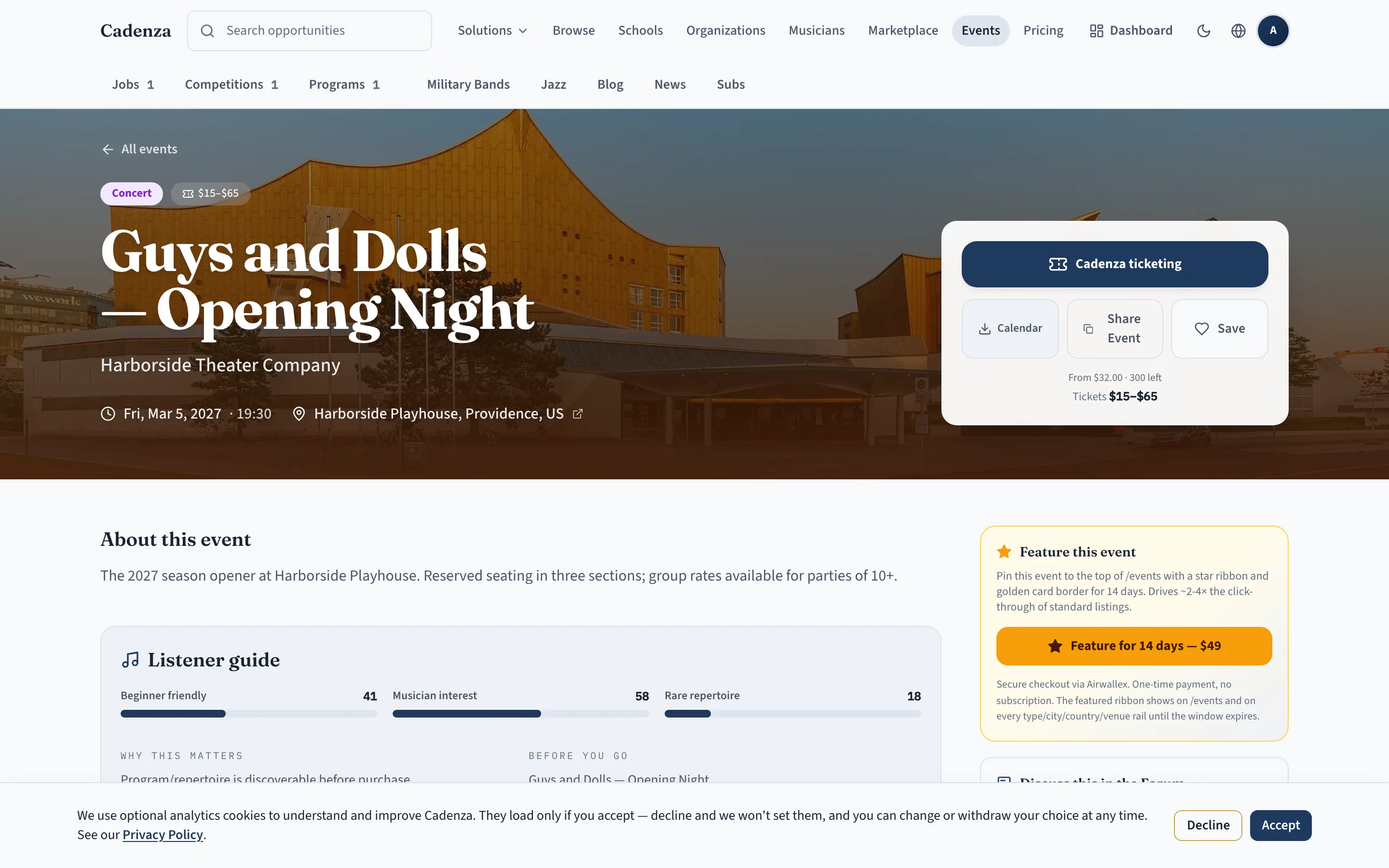
Event Revenue Suite — concerts, seasons & donations
Sell single tickets and season subscriptions, collect donations, manage patrons and promo codes, and reconcile earnings. Request a guided walkthrough to see these workflows with your own event plan.
- Public event pages with ticket types
- Checkout with capacity reservation
- Buyer ticket and subscription dashboard
- Season subscriptions, donations, and patrons
- Promo codes and refunds
- Org earnings and admin reconciliation
Every transaction, application, and inquiry in these environments is demonstration data. Completed checkouts in the demo do not represent booked institutional revenue.
Questions, before you click in
- Is this real data?
- No — every demo runs on clearly-labeled sample data. Nothing here is a real applicant, payment, or named customer.
- Can I get a sandbox for my own organization?
- Yes. A guided walkthrough sets up your real programs and workflow so you can evaluate Cadenza with your own season in mind.
- How long does setup take?
- A private implementation pilot can be configured in days, not months — and our team helps migrate your existing data during guided setup so you never start from a blank slate.
- What is the best way to try it for real?
- For a full festival admissions season, book a Festival Admissions Pro walkthrough and ask whether your organization qualifies for a private implementation pilot before the annual plan.
About these demos
Cadenza is an early platform running guided pilots. We show demonstration workflows rather than customer success stories, because we will not present a named institution as a customer or partner unless that relationship is real and approved.
If you want to evaluate Cadenza for your orchestra, school, festival, or ensemble, the best next step is a guided walkthrough with your own use case in mind.